Netatmo
Autumn arrived and heating became relevant. We were surprised to find it was doing whatever it pleased. That's down to how heating works in our building during the season. Still, it's not pleasant to wait in the morning for everything to warm up to the right temperature. On the flip side, there's no point heating the kitchen, living room or bathroom overnight for no reason.
I'd had my eye on smart radiator valves for a while — ones that would help solve exactly these problems. They'd heat according to what I tell them, maintain the set temperature, and not blast heat when I'm not home, and so on. After some research I settled on the Netatmo brand. There are a few connection options: direct boiler integration, via a thermostat, or just standalone via the cloud. Since I can't access the boiler and don't have a thermostat, I went with the last option.
A tip in advance: buy your own AA batteries. The ones supplied are some low-quality variety. The valves occasionally disconnect or refuse to pair. Duracell or VARTA all the way. Installation is fairly intuitive — plug the relay into a socket and configure it (unfortunately it only supports 2.4 GHz). Then you can add the valves. The installation is very well described in the manual. Choose the right adapter for your radiator, screw it on, insert the batteries and wait for the valve to appear in the menu. Then you can start scheduling and fine-tuning. It takes a bit of time for the valve to sync with your routine before you can use adaptive mode — where the valve figures out how far in advance it needs to start heating to reach the set temperature.
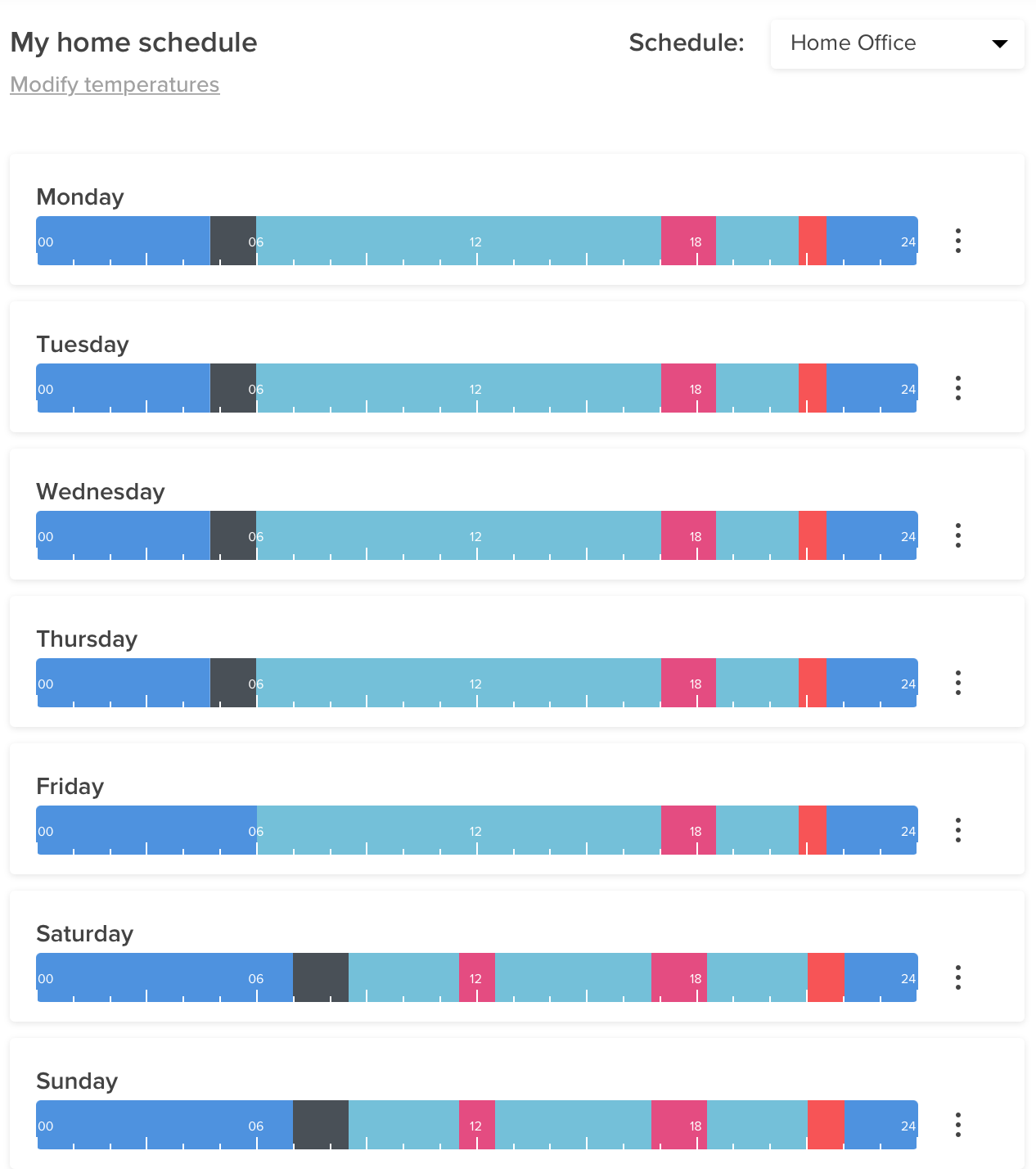
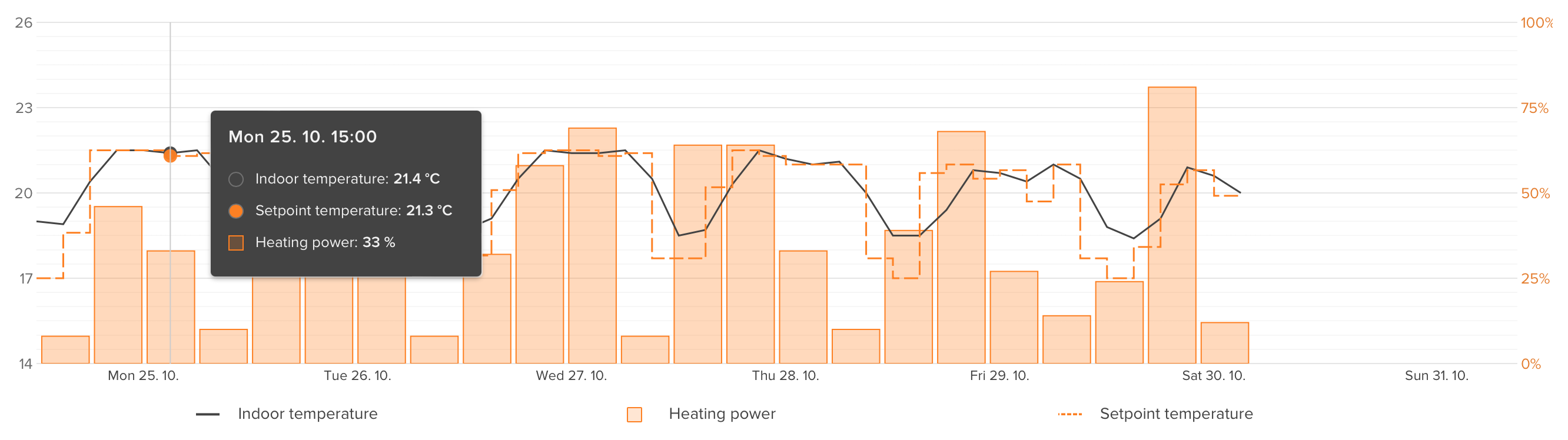
You can monitor how temperatures evolve throughout the day and how much you're heating. If you're leaving the flat you can switch to Away mode, or activate frost protection mode. The settings hide a huge number of options. A bonus is Apple HomeKit integration — the result being that you can control heating via Siri.

What bothers me a little is access security — the portal lacks 2FA, which I don't think is appropriate when you can control your heating through it. Netatmo also offers security-related products, which makes this even harder to understand. One more annoyance: the heating mode can't be set individually per valve. That's a shame. It would be great. Maybe in some future update.
Very happy with it so far — the main thermostat in the boiler room throws a spanner in things occasionally (it switches on a bit late), but otherwise I can't fault the temperature control.