From iPhone 8 to iPhone 16

My iPhone lost OS update support a while back... then in November I got a notification from 1Password saying that version 8.12 would be the last update for my version of iOS — decision made. Time for a new phone. I'll try the migration.
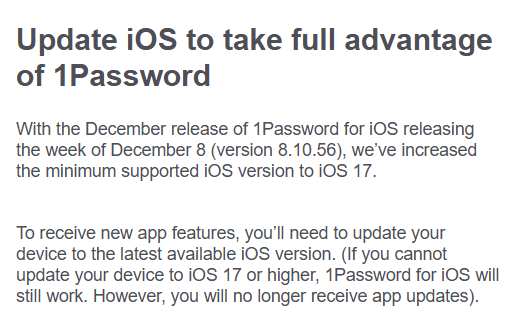
A 1Password notice: to take full advantage of the app you need to update iOS, the December release requires iOS 17
Given how Apple's release cycle works, the choice fell on the iPhone 16. The key was to back everything up to iCloud — ideally with additional insurance too, like Microsoft Authenticator. I'd made peace with losing my messaging history. But let's not get ahead of ourselves. The phone arrived, I put it on the charger and waited.

On the old device you start the migration, verify it's you, and select what should be transferred. It's done in a few minutes.
Four iPhone screens during a Quick Start data transfer: waiting for the other iPhone, entering a passcode and transferring data

Everything transferred — including messaging history and MFA! Brilliant.

Other Related Posts:

iPhone

How I came to own an Apple phone

I would have considered it impossible before. And yet it happened — I bought an iPhone. What led me there? Updates and the slowdown of my Android. When Motorola released the Moto E 2nd gen they guaranteed an update to the next version. Which meant going fro...

17th Sep 2018

iPhone 12

I switched phones

I had to decide whether to wait for the iPhone 13 or swap my iPhone 8 for a 12 straight away. Since the 13 was quite hard to come by, I went ahead with the swap. Thanks to iCloud backup it's fairly painless — but there's a catch with apps that manage the second factor, especially...

10th Jan 2022